Comp Redemption for Items in Group Folios
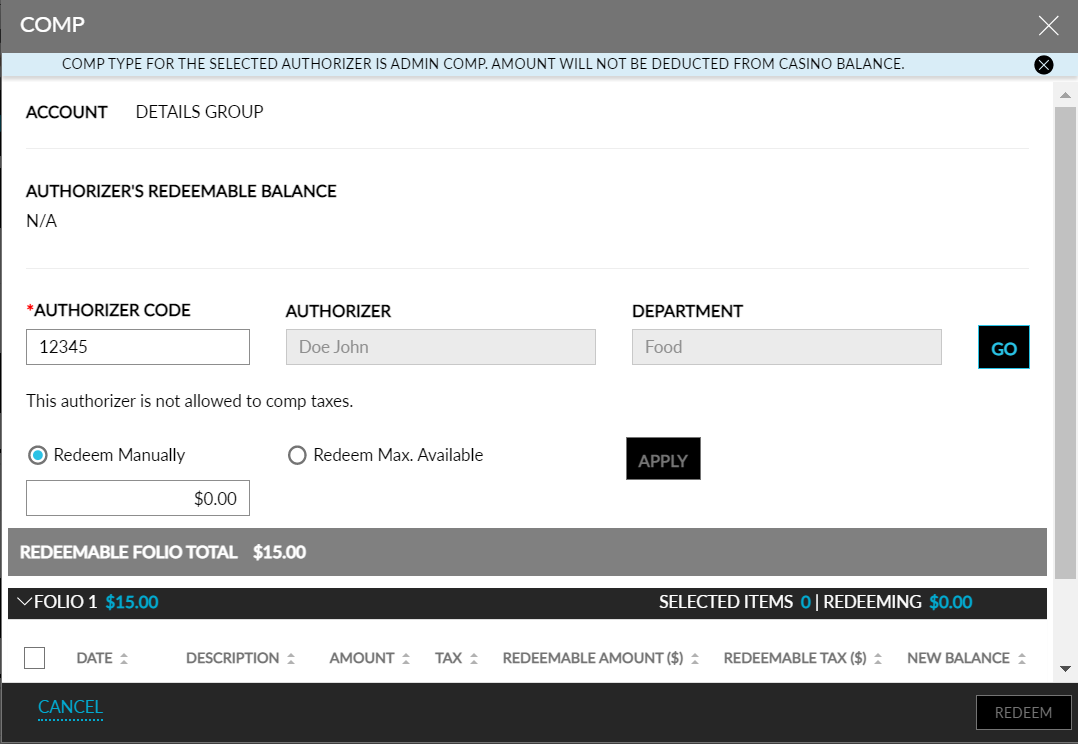
Stay is enhanced to allow users to redeem comps for the items in group folios. The existing comp functionality that is available in individual reservation folios is now implemented in group folios.
Users can redeem comps any transaction and inventory items posted to any of the group folios. Users can use both Admin Comp and Player Self Redeem options. For Player Self Redeem, the profile associated with the group is considered and the comp balance of that profile is displayed and available for redeeming.
Once redeemed, a comp folio is created with the following details:
-
Date
-
Description
-
Comp Type
-
Quantity
-
Amount
-
Tax
-
Payment
-
Total
-
Reverse Comp Option
-
Change History
To support this enhancement the following changes have been made:
-
A new option, Comp, is added to the drop-down list that is displayed when the More button is clicked.
-
When the Comp option is clicked, the Comp screen that exists in individual reservations is displayed.
-
All the folios in the group are listed in the Comp screen for redemption. Users can redeem comp for any of the transaction or inventory items that has the Allow Comp flag enabled in the setup (Settings ➜ Guest Accounting ➜ Items ➜ Transaction Items).
-
The following buttons are disabled inside the comp folio:
-
More
-
Reference No & Comment
-
Adjust
-
Transfer
-